

Every Outcome has a success picture
When you start an Outcome, Donna helps you name what “done” actually looks like, in your own words. Name it as a concrete image, for example “the deck is shipped and the board approved it.” A sentence or two is the whole picture. Donna keeps that picture pointed at on every later step. When you name what “done” looks like, Donna usually also asks why it matters to you now, and that “why” stays attached to the Outcome. If there is a starting point worth remembering, mention it and Donna keeps that too: when the Outcome lands, it shows the starting point next to where you ended up. The “before” is optional.Every Outcome lives in an Area
Outcomes are sorted one way only: by Area, the part of life they belong to (work, health, a side project). Each Area has a name and a color, and Donna colors an Outcome’s screens with it so you can tell at a glance which part of life you are in. Create, rename, recolor, or merge Areas in settings, and Donna proposes one when a new Outcome is born.Where an Outcome lives in your day
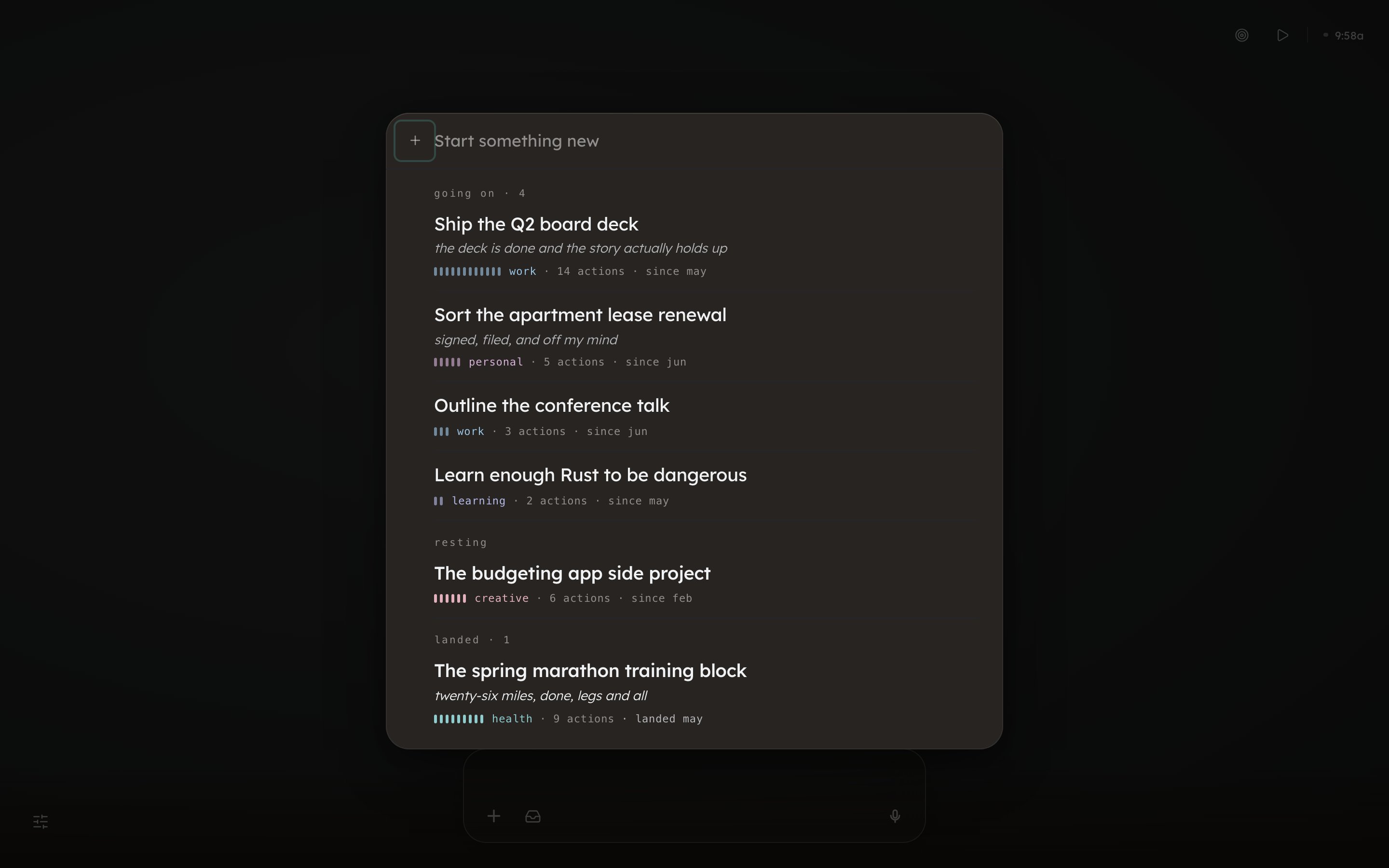
Open the outcomes verb in the top-right corner (on a phone, the up arrow in the bottom bar, then Outcomes) to see every Outcome, grouped in three rooms: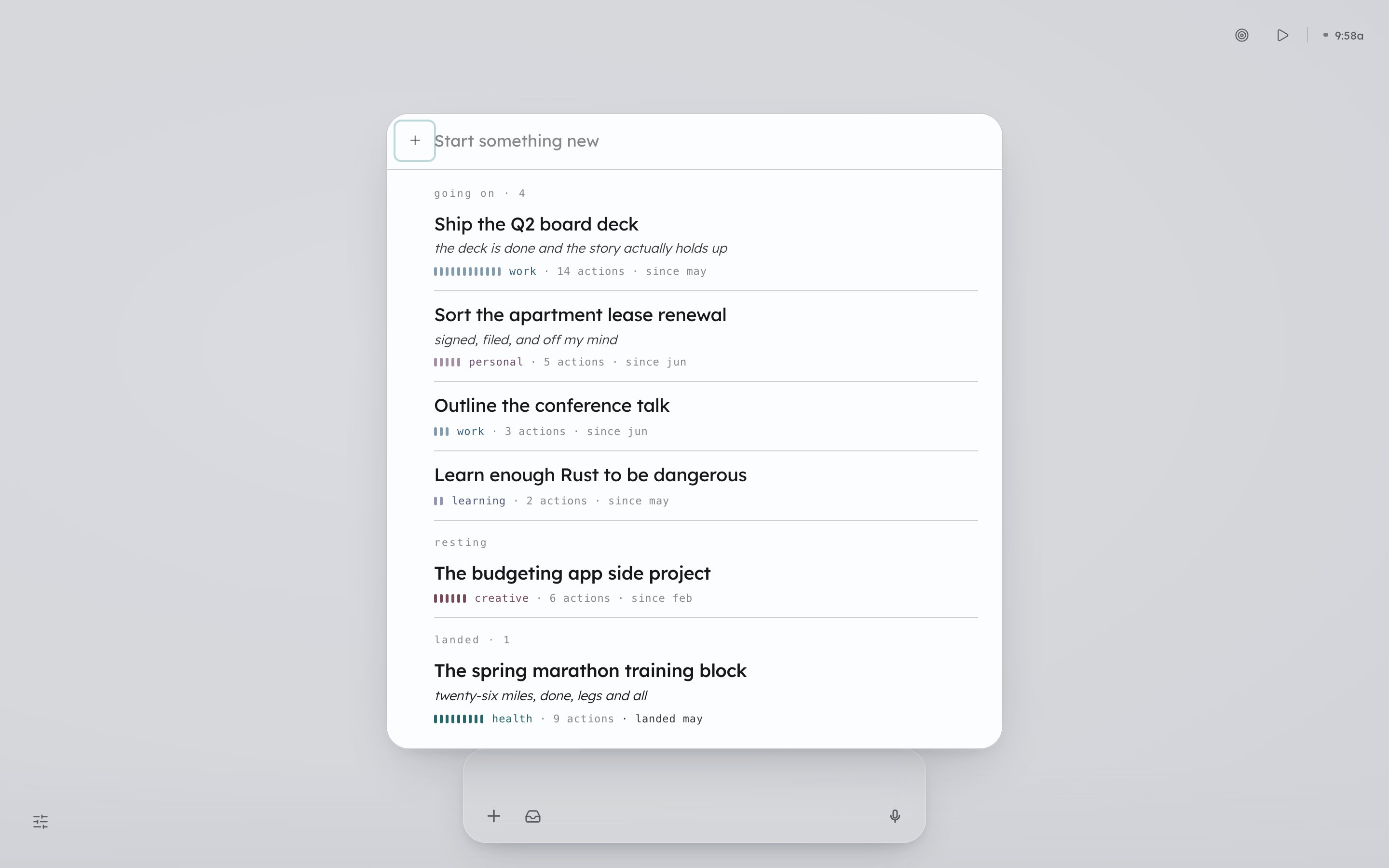
Not everything is an Outcome
A lot of what fills a day is just flow: clearing email, replying on Slack, handling admin. Donna helps you move through it, and loose one-offs live in Capture instead.How an Outcome gets worked
You work an Outcome in short commitments called Cycles: a few Actions over a window, reviewed at the end, then renewed. An Outcome’s history over time is on Outcomes over time. If the Outcome is a multi-week project that has stalled before, the guide on finishing big projects with ADHD covers breaking it into slices small enough to finish.Frequently asked questions
What is the difference between an Outcome and a task?
What is the difference between an Outcome and a task?
A task is something you handle once and forget, and Donna moves you through those without tracking them. An Outcome is durable: it has a success picture, lives in an Area, and Donna follows it across days and weeks. Loose one-offs go to Capture instead.
What happens when an Outcome lands?
What happens when an Outcome lands?
It moves to the landed room and stays visible there. If you gave it a starting point, Donna shows that next to where you ended up.
Do I have to set a why or a before on an Outcome?
Do I have to set a why or a before on an Outcome?
No. Both are optional, and neither is a form field: mention them in conversation and Donna keeps them. The success picture is the only part every Outcome has.
Next: Cycles
The short commitment an Outcome gets worked in.
Go deeper: Finishing big projects
How a big Outcome breaks into small, winnable Cycles.